

Integrations
dlt
Declarative dlt sources in YAML, or full dlt pipelines inside Python source loaders.
dlt is an open-source Python library for loading data from APIs, databases, cloud storage, and more. SQLBuild integrates with dlt two ways:
- Declarative dlt sources - configure dlt directly in your source YAML, no Python code. SQLBuild runs the dlt pipeline as part of the build lifecycle. Best for the common REST API, SQL database, and filesystem cases.
- dlt inside a Python loader - wrap any
dlt.pipeline(...)in a SQLBuild source loader for full control when you need dlt features beyond the declarative surface.
Install
Section titled “Install”pip install 'sqlbuild[dlt]'# oruv pip install 'sqlbuild[dlt]'This installs dlt with the duckdb, filesystem, and sql_database extras alongside SQLBuild.
Declarative dlt sources (YAML)
Section titled “Declarative dlt sources (YAML)”Declare a dlt_sources list in a sources/*.yml file. Each entry has a type, a config block passed to the dlt source, and a list of resources that become SQLBuild managed sources. SQLBuild generates a synthetic loader per resource and writes into the database its adapter manages, no Python and no destination setup required.
Supported source types: rest_api, sql_database, filesystem.
REST API
Section titled “REST API”dlt_sources: - type: rest_api config: client: base_url: https://api.github.com/ headers: Authorization: "Bearer ${github_token}" paginator: type: header_link resources: - name: raw_github_issues write_disposition: append endpoint: path: "repos/${github_owner}/${github_repo}/issues" params: state: all per_page: 100rest_api requires client.base_url in config. Each resource needs an endpoint mapping; the dlt resource name comes from endpoint.name if present, otherwise the resource name.
SQL database
Section titled “SQL database”dlt_sources: - type: sql_database config: credentials: "${postgres_connection_string}" resources: - name: raw_customers table: customers write_disposition: merge primary_key: idsql_database requires credentials in config, and each resource requires a table.
Filesystem
Section titled “Filesystem”dlt_sources: - type: filesystem config: bucket_url: "s3://my-bucket/events/" resources: - name: raw_events write_disposition: appendfilesystem requires bucket_url in config.
Resource options
Section titled “Resource options”| Key | Description |
|---|---|
name |
Source name SQLBuild exposes (referenced via __source("name")). Required. |
table |
Source table to replicate (sql_database only). Required for that type. |
endpoint |
Endpoint mapping (rest_api only). Required for that type. |
write_disposition |
dlt write disposition: replace, append, or merge. merge requires primary_key. |
primary_key / merge_key |
dlt keys for merge. |
incremental |
dlt incremental config mapping (e.g. cursor column and start value). |
schema |
Per-resource schema override (falls back to the group schema). |
Use SQLBuild’s write_disposition (dlt’s term), not write_strategy. delete_insert is not available declaratively; use a Python loader for that. Config values support SQLBuild’s interpolation: ${name} for a project variable, ${ENV:NAME} for an environment variable, and ${CTX:...} for context, resolved at load time, so credentials stay out of the YAML.
Destination
Section titled “Destination”By default each resource loads into the database SQLBuild’s adapter manages, with the dataset/schema derived from your target. An optional destination mapping passes extra settings to the dlt destination, but it cannot set credentials, dataset_name, or default_schema_name (SQLBuild manages those):
dlt_sources: - type: rest_api destination: loader_file_format: parquet config: client: base_url: https://api.example.com/ resources: - name: raw_widgets endpoint: path: widgetsReference in models
Section titled “Reference in models”Declared resources are managed sources, reference them like any other source:
SELECT id, title, state FROM __source("raw_github_issues")dlt inside a Python loader
Section titled “dlt inside a Python loader”When you need dlt capabilities beyond the declarative surface (custom transforms, delete_insert, sources not covered above), wrap a dlt pipeline in a source loader. The loader calls dlt.pipeline(...).run(...) and returns None; dlt handles the writes and SQLBuild treats the source as loaded.
import dltfrom dlt.sources.rest_api import rest_api_sourcefrom sqlbuild.loaders import loaderfrom sqlbuild.executor.load.models import LoaderContext
@loaderdef raw_github_issues(ctx: LoaderContext):    source = rest_api_source({        "client": {            "base_url": "https://api.github.com/",            "headers": {"Authorization": f"Bearer {ctx.vars['github_token']}"},            "paginator": {"type": "header_link"},        },        "resources": [{            "name": "issues",            "endpoint": {                "path": "repos/{owner}/{repo}/issues",                "params": {                    "owner": ctx.vars["github_owner"],                    "repo": ctx.vars["github_repo"],                    "state": "all",                    "per_page": 100,                },            },        }],    })
    pipeline = dlt.pipeline(        pipeline_name="github_issues",        destination=dlt.destinations.duckdb(ctx.connection),        dataset_name=ctx.destination_schema or "main",    )    pipeline.run(source)
Bind it to a source with managed: true in sources/*.yml:
sources: - name: raw_github_issues managed: true table: issues columns: - name: id type: INTEGER - name: title type: VARCHARDuckDB connection sharing
Section titled “DuckDB connection sharing”With the DuckDB adapter, pass ctx.connection to dlt’s DuckDB destination to reuse SQLBuild’s open connection, so dlt writes into the same database without a separate connection string:
pipeline = dlt.pipeline( pipeline_name="my_pipeline", destination=dlt.destinations.duckdb(ctx.connection), dataset_name=ctx.destination_schema or "main",)Warehouse destinations
Section titled “Warehouse destinations”For Snowflake, BigQuery, or Databricks, configure dlt with its own credentials. dlt writes directly to the warehouse, and SQLBuild reads the resulting tables as sources:
pipeline = dlt.pipeline( pipeline_name="api_data", destination="snowflake", dataset_name=ctx.destination_schema or "public",)Configure dlt credentials via its own secrets.toml or environment variables, as in the dlt documentation.
Build integration
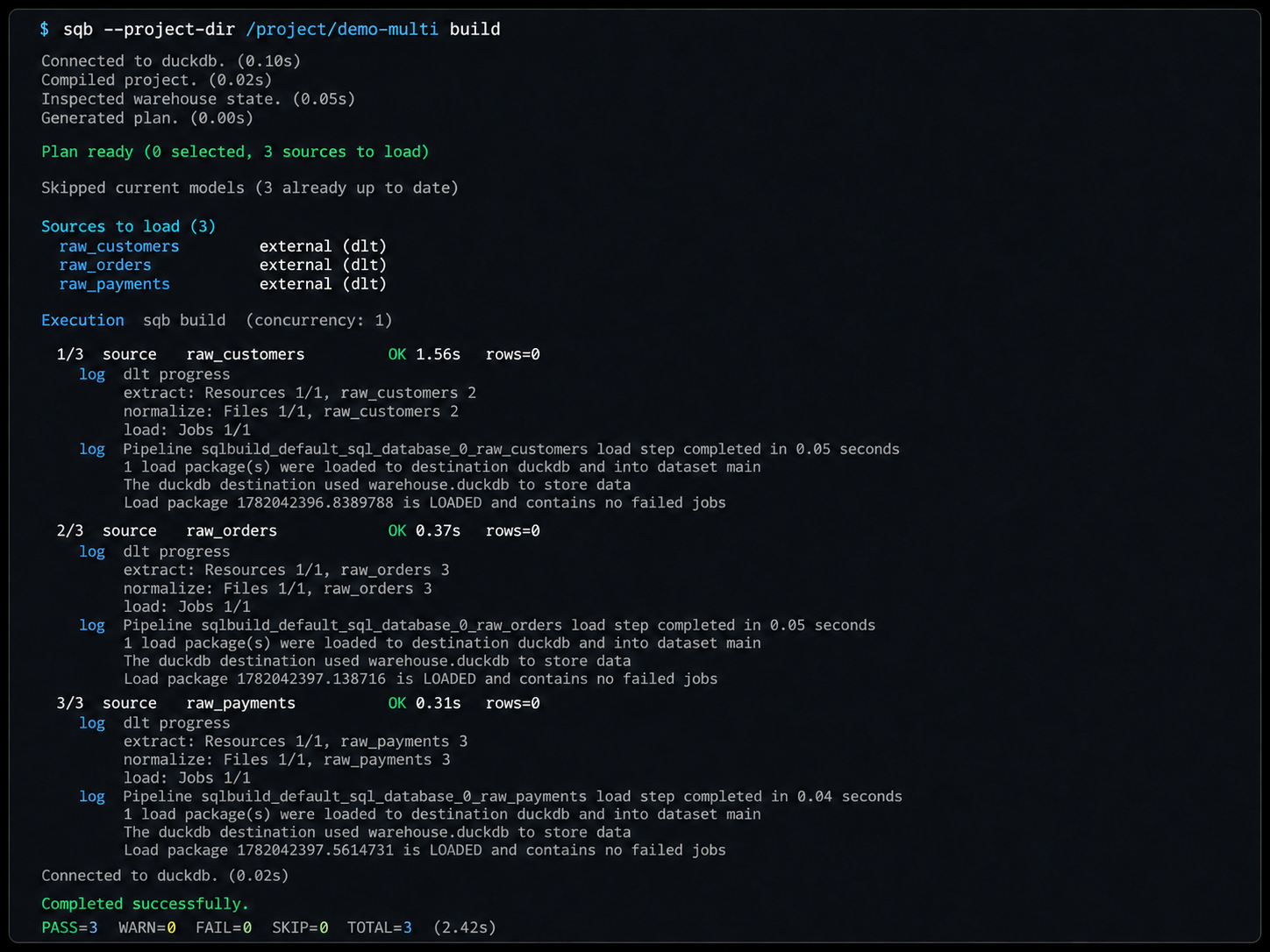
Section titled “Build integration”Whether declarative or Python, loaders run automatically during sqb build (when auto_load_sources is enabled), so dlt pipelines execute as part of the normal build lifecycle:
sqb build # loaders run, then models buildsqb build --no-load # skip loading, use existing source datasqb load # run loaders standaloneSee Loaders for write strategies, the loader context API, auto-load behavior, and source deferral.